Free Fire Long Bio: raise the signature character limit in 2026
Free Fire's signature field limits the bio to 50 characters inside the game itself. With the Free Fire Long Bio tool from Free Fire Mania you update your account's signature straight from your browser, no Discord and no handing your login or password to anyone - you log in with the social network linked to your Free Fire account (Facebook, Google, Apple, X or VK) and the bio is sent directly to the game server.
Free Fire's default signature is too short for anyone who wants to show a quote, Instagram, guild, dig or status with more room. Free Fire Long Bio solves this by sending the update straight to the game server with a much higher limit than the 50 characters allowed inside the app - no Discord bot needed, no unknown websites, and your password is never requested at any point.
Free Fire Long Bio tool
Log in with your Free Fire account's linked social network, paste the returned URL, build your bio in the generator below and click Save Bio to Free Fire. The update is sent straight to the game server in a few seconds.
Log in with your social network
Tap the button of the social network linked to your Free Fire account, complete the authentication and paste the final returned URL here.
The authentication URL is only used to validate your account and send the new bio to the game server. Free Fire Mania never asks for your password and does not store the access token in its database.
Free Fire Mania is an independent website and does not represent Garena. Account authentication happens through the platforms' own services listed below.Build the bio and save
Write your text, apply colours, bold, symbols and special fonts. Limit of up to 240 characters and 3 lines. When you're done, click Save Bio to Free Fire - the button sends the update straight to the game server.
Gerador de Bio para FF
Long bio saved successfully!
Before logging in: quick heads-up
After logging in, you'll land on a page that looks like an error - blank or with a browser error message. This is normal and part of the process.
On that page, just copy the entire URL from the address bar and paste it into this tool's field.
How the Free Fire Long Bio works
- Click the social network linked to your Free Fire account (Facebook, Google, Apple, X or VK).
- Finish logging in on the page that opens. At the end, the page might show "404 Not Found" - that's normal, what matters is the URL in the address bar.
- Copy that entire URL and paste it into the tool's authentication field.
- Write the bio in the generator, adjust colours and formatting, then click Save Bio to Free Fire.
- Open Free Fire and check your profile's signature.
Free Fire long bio examples
Real long bios found among Free Fire players, updated daily - proof that you can write way past the in-game 50-character limit. Contact info is anonymized with fictional examples, but the format is exactly what players use. Click to copy or open in the generator to customize colours and formatting.
Frequently asked questions about Free Fire Long Bio
What is Free Fire Long Bio?
Free Fire Long Bio is the Free Fire Mania tool that updates your Free Fire account's signature with up to 240 characters, well above the 50 characters allowed in the signature field inside the game itself.
Do I need to enter my password to use Free Fire Long Bio?
No. You log in through the social network linked to your account (Facebook, Google, Apple, X or VK) directly on Garena's servers. Free Fire Mania never sees or asks for your password.
Is Free Fire Long Bio safe?
The authentication URL copied after login is only used to validate your account and send the new bio to the game server at that moment. It is not stored in Free Fire Mania's database after processing. Still, never paste this URL into websites or bots you don't know.
How many characters does Free Fire Long Bio accept?
Up to 240 characters, well above the 50-character limit shown in the signature field inside the Free Fire app.
Why do I need to log in with Facebook, Google or another social network?
Because that's how Garena itself authenticates accounts linked to those platforms. The login happens directly on Garena's official site; Free Fire Mania only receives the return URL to confirm it's you before sending the bio update.
Does the long bio show up in-game right away?
Usually yes, but it can take a few minutes to reflect in the Free Fire app depending on the game's cache. If it doesn't show up right away, close and reopen the app.
Can I use colours and formatting in Free Fire Long Bio?
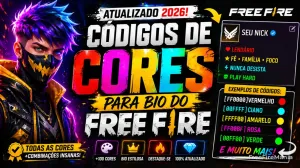
Yes. You can use the same colour and formatting codes as the regular Free Fire bio (like [FFB700] for colour and [b] for bold) inside the Long Bio text. Build the effect you want in the Free Fire Bio generator and paste it above to save.


 Do you want to receive notifications about Free Fire?