Free Fire Sensitivity: Best Headshot Settings
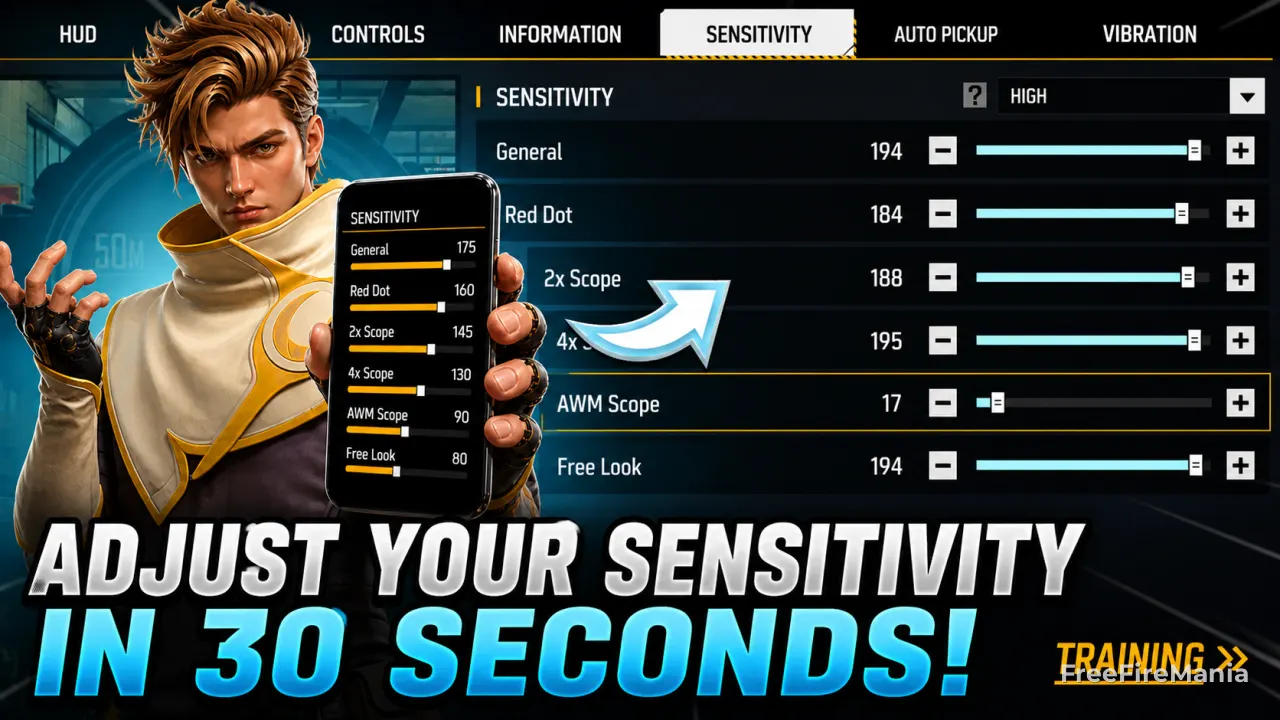
The best Free Fire sensitivity for headshots usually starts between 160 and 185 on General and 170 to 190 on Red Dot. This guide covers headshot settings, 4GB RAM, Free Fire Max, DPI, and safe adjustments for the current 0-200 scale.
By
Ronny Rolim
Generate Your Free Fire Sensitivity Now
Type your phone model below. The sensi generator will calculate values based on your device's DPI, optimized for headshot accuracy on the current 0-200 scale.
- General: 160 – 185
- Red Dot: 170 – 190
- 2x Scope: 150 – 175
- 4x Scope: 130 – 160
- AWM / Sniper: 90 – 120
- Free Look: 60 – 90
Best Free Fire Sensitivity Settings for Headshot
Getting the wrong sensitivity in Free Fire means losing headshots you should be winning. The table below shows optimized values for competitive play, based on the current 0–200 sensitivity scale introduced in recent updates.
| Setting | Low-End (2–3GB) | Mid-Range (4GB) | High-End (6GB+) | Purpose |
|---|---|---|---|---|
| General | 170 – 190 | 160 – 185 | 145 – 170 | 360° movement speed |
| Red Dot | 175 – 190 | 170 – 185 | 155 – 175 | Close-range headshot drag |
| 2x Scope | 155 – 180 | 150 – 175 | 145 – 165 | Mid-range bullet tracking |
| 4x Scope | 140 – 165 | 130 – 160 | 125 – 150 | Long-range recoil control |
| AWM / Sniper | 95 – 125 | 90 – 120 | 80 – 105 | Precision quick-scoping |
| Free Look | 70 – 95 | 60 – 90 | 55 – 80 | Environment awareness |
Free Fire Sensitivity for 4GB RAM Headshot
4GB RAM is the most common device configuration among Free Fire players worldwide. These phones can handle higher sensitivity values without frame drops, but pushing everything to the maximum of the 200-scale creates pixel skipping and unstable aim spikes.
The sweet spot for headshot-focused 4GB RAM builds:
| Setting | Value (4GB RAM) | Headshot Impact |
|---|---|---|
| General | 160 – 185 | Fast rotation without overflicking |
| Red Dot | 170 – 185 | Consistent drag-headshot control |
| 2x Scope | 150 – 175 | Stable mid-range tracking |
| 4x Scope | 130 – 160 | Controlled long-range recoil |
| Sniper (AWM) | 90 – 120 | Micro-adjustment precision |
| Recommended DPI | 420 – 450 | Smooth tracking, no jitter |
If your phone has 4GB RAM and you notice aim instability or sudden jumps, reduce General by 10 and Red Dot by 5. Most instability issues on 4GB devices come from sensitivity being too high, not too low.
👉 Need values based on your exact model? Use the Free Fire Sensitivity Generator — it calculates based on your device's DPI automatically.
Free Fire Sensitivity by RAM: 2GB, 3GB, 4GB and 6GB
RAM capacity directly affects frame stability, touch response delay and pixel precision. The table below covers common device tiers on the current 0-200 sensitivity scale.
| RAM | General | Red Dot | 4x Scope | Stability | Best DPI |
|---|---|---|---|---|---|
| 2GB | 170 – 190 | 175 – 190 | 140 – 165 | Low — avoid max values | 390 – 420 |
| 3GB | 165 – 185 | 172 – 188 | 135 – 160 | Medium | 400 – 430 |
| 4GB | 160 – 185 | 170 – 185 | 130 – 160 | Good | 420 – 450 |
| 6GB+ | 145 – 170 | 155 – 175 | 125 – 150 | Excellent | 430 – 480 |
Free Fire Sensitivity for 2GB RAM
2GB RAM devices struggle with frame drops and touch delay under heavy action. For headshot consistency, use higher sensitivity but avoid maxing everything out. Lower DPI (390–420) reduces screen jitter and improves aim stability during fights.
Free Fire Sensitivity for 3GB RAM
3GB RAM phones handle mid-range sensitivity well. A General between 165–185 keeps movement responsive without causing overflick. Red Dot up to 97 allows faster drag shots while maintaining consistent recoil control.
Free Fire Sensitivity for 4GB RAM
The most common configuration. General between 160–185 and Red Dot up to 185 gives an aggressive headshot setup without losing recoil stability. After the 200-scale update, 4GB devices benefit from moderate-high values — not maximum.
Free Fire Sensitivity for 6GB RAM and Free Fire Max
6GB+ devices and 90Hz/120Hz screens usually feel better with controlled values instead of maximum sensitivity. Higher DPI (430–480) enhances fast flick shots and long-range tracking in ranked matches. This tier also applies to Free Fire Max on high-end devices.
How to Set Free Fire Sensitivity for Maximum Headshot Accuracy
Follow these steps to configure your sensitivity correctly and avoid the most common aiming mistakes:
- Find your device's RAM — Settings → About phone → RAM. This determines your starting range.
- Apply the values from the table above for your RAM tier — start with the lower end of each range.
- Enter training mode — shoot at stationary targets for 10 minutes. Your aim should feel controlled, not rushed.
- Test Red Dot drag — start aim at chest level and drag upward. If you overshoot the head consistently, reduce Red Dot by 5.
- Play 3 real matches before changing anything. Muscle memory needs time to adapt to any new setup.
- Adjust ±5 per session — never change everything at once. Isolate one variable at a time.
If you want a personalized starting point based on your specific phone model and DPI, skip the manual process and use the generator directly:
🎯 Get sensitivity calculated for your exact phone
Input your device model and the generator calculates optimized values based on your real DPI — no guesswork.
New Meta: 0–200 Sensitivity Scale
The latest Free Fire updates expanded the sensitivity limit to 200. Here is how the new scale compares to the old pro-player standards and what it means for headshot builds.
| Setting | Old Standard (pre-update) | New Scale | Performance Impact |
|---|---|---|---|
| General | 80 – 100 | 160 – 185 | Faster 360° rotation |
| Red Dot | 70 – 90 | 170 – 190 | Quicker headshot drag |
| 2x Scope | 55 – 70 | 150 – 175 | Better mid-range tracking |
| 4x Scope | 35 – 50 | 45 – 65 | Improved recoil control |
| Sniper (AWM) | 15 – 28 | 20 – 38 | Sharper quick-scope precision |
Brazil Free Fire Sensitivity for Headshot
The term Brazil free fire sensitivity became a reference worldwide because Brazil has one of the most aggressive and technically refined Free Fire communities. Brazilian competitive players typically combine high General sensitivity with controlled Red Dot drag to execute fast headshot flicks in ranked matches.
The setup most associated with the Brazilian playstyle:
| Setting | Brazilian Style | Notes |
|---|---|---|
| General | 170 – 190 | Aggressive rotation and fast peek |
| Red Dot | 175 – 190 | High drag for one-tap headshots |
| 2x Scope | 155 – 180 | Active mid-range engagement |
| 4x Scope | 135 – 165 | Controlled long-range support |
| Sniper | 90 – 120 | Precision for quick-scope plays |
However, copying these values without matching your device's DPI and RAM may reduce stability. Hardware optimization always comes first — the Brazilian style works because it was built around specific high-end devices. Start 10 points lower and increase gradually.
Free Fire Sensitivity App vs Generator — Which Is Better?
Many players search for a Free Fire sensitivity app, but most third-party apps either provide generic presets or violate Garena's terms of service.
| Method | Personalization | Safe to Use | Current scale |
|---|---|---|---|
| Web Generator (ours) | Yes — by device + DPI | ✅ Yes | ✅ Yes |
| Third-party apps | Generic presets only | ⚠️ Risk of ban | Often outdated |
| Copying from YouTube | No — different devices | ✅ Yes | Varies |
| Manual adjustment | Full control | ✅ Yes | Always current |
Sensitivity by Phone Model
Players are also looking for sensitivity settings for these specific devices:
📱 See all phone models
Full list of sensitivity settings organized by brand and model — Samsung, Xiaomi, iPhone, Motorola and more. Values calibrated by screen DPI.
Free Fire Headshot Sensitivity: What Actually Works
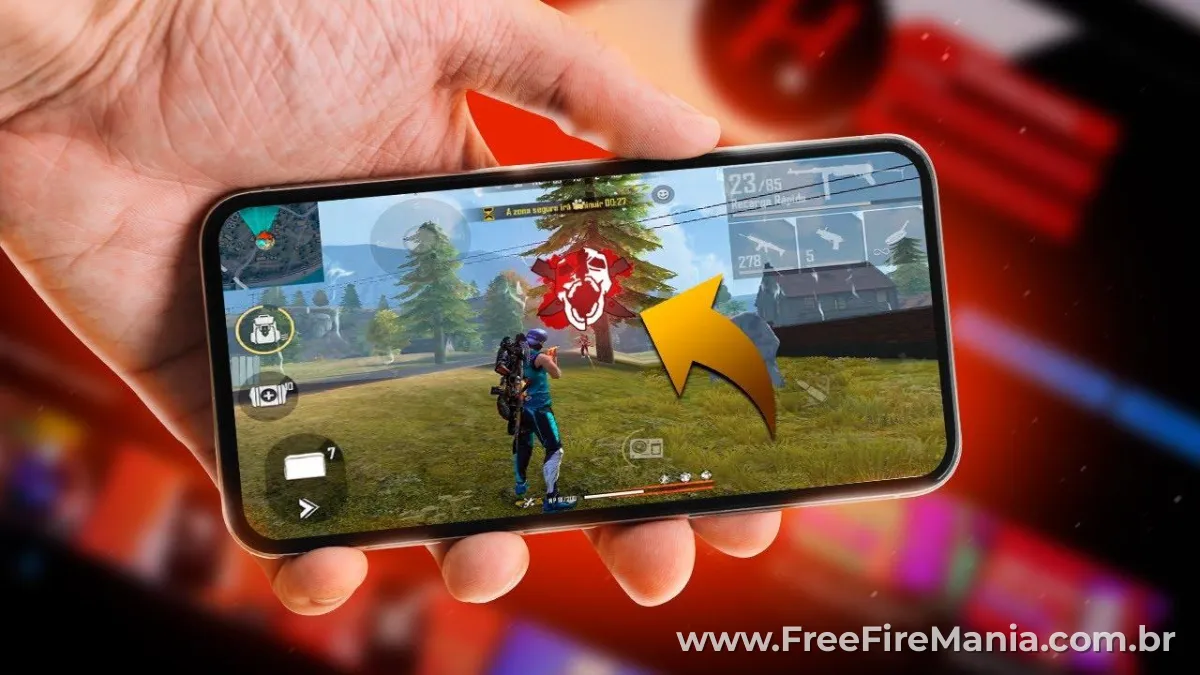
There is no single "magic" sensitivity that guarantees headshots. What actually works is a combination of three factors working together:
- General sensitivity high enough for fast rotation, but not so high it causes overflick
- Red Dot tuned for drag shots — this is where most headshots happen in close fights
- DPI matched to your RAM — sensitivity and DPI multiply each other's effects
The most common mistake is focusing only on General sensitivity and ignoring Red Dot. In close-range combat, Red Dot is the setting that determines whether your drag lands on the head or the chest.
For a deeper breakdown of DPI and its effect on sensitivity behavior, read: 👉 Best DPI for Free Fire
Free Fire Sensitivity FAQ
❓ What is the best sensitivity for headshot in Free Fire?
The best Free Fire headshot sensitivity for a 4GB RAM device is: General 160–185, Red Dot 170–185, 2x Scope 150–175, 4x Scope 130–160, and Sniper 90–120. These values work on the new 200-point scale and give you a balanced base for drag headshots and recoil control. Adjust ±5 based on your playstyle after 3 matches.
❓ What sensitivity should I use for 4GB RAM in Free Fire?
For 4GB RAM, use General between 160–185 and Red Dot between 170–185. DPI of 420–450 complements these values well. Avoid pushing values to the maximum (200) as it causes pixel skipping on 4GB devices. The sweet spot is slightly below the maximum for better stability.
❓ What changed in Free Fire sensitivity after the 200-scale update?
The 200-scale update increased the maximum sensitivity limit. Values that were previously at maximum (100) now represent the mid-range. This means players need to recalibrate their setups upward. However, higher values do not always mean better performance — low-end devices experience more pixel skipping at high sensitivity levels on the new scale.
❓ Is there a Free Fire sensitivity app that actually works?
Most third-party Free Fire sensitivity apps provide only generic presets and may violate Garena's terms of service. The safest and most personalized option is a web-based sensitivity generator that calculates values based on your specific device model and DPI, without accessing your game account.
❓ Does sensitivity affect headshot accuracy in Free Fire?
Yes. Poorly adjusted sensitivity is one of the main reasons players miss headshots. Sensitivity that is too high causes overflicking past the head. Sensitivity that is too low makes it hard to track moving targets. The ideal range gives you enough speed to drag to the head without losing control of your aim.
❓ How often should I change my Free Fire sensitivity?
Only change sensitivity after Free Fire updates that affect game performance, or when you switch to a new device. Changing it too frequently prevents muscle memory from building. When you do change it, adjust by no more than ±5–10 per session and test in training mode before ranked matches.
Next Step: Get Sensitivity for Your Exact Device
The tables above give you proven ranges for each RAM tier. But if you want values calculated specifically for your phone model — including its exact DPI — use the generator:
🎯 Free Fire Sensitivity Generator
Type your phone model, get personalized sensitivity values based on your device's real DPI. No hacks. No scripts. 100% compliant with Garena's rules.
GENERATE MY SENSITIVITY →✔ Device-specific ✔ DPI-based ✔ Current 0-200 scale



 Do you want to receive notifications about Free Fire?