Free Fire Advance Server: APK Download, Registration, Activation Code and Status
The Free Fire Advance Server is Garena's official beta testing environment for upcoming Free Fire updates. This guide explains how registration works, where to download the official APK, how the activation code is granted, how to check server status, and how to avoid fake APKs, proxy server confusion and unsafe third-party pages.

By
Ronny Rolim
- The Advance Server is an official Garena testing server, but it opens only during temporary cycles.
- Registration happens on the official website: ff-advance.ff.garena.com.
- The Free Fire Advance APK is for Android and should only be downloaded from the official portal.
- The activation code is limited, account-specific and released only to selected players.
- Proxy servers, modified APKs and “unlimited advance” pages are not the official Advance Server.
Search demand around Free Fire Advance Server now includes related queries such as free fire advance, advance server free fire, free fire advance apk, ff advance server, proxy server, free fire max and activation code searches. The intent is clear: players want the official APK, a working activation code, the opening date and a way to avoid fake pages.
The official Advance Server is designed for testing upcoming features and reporting bugs before global release. It is not a private server, not a diamonds generator and not a permanent unlock-all environment for your main account.
Free Fire Advance Server status now
The monitor below tracks the technical status of the Free Fire Advance Server, including whether the testing server is active, registration is open and which APK version is currently listed.
- Server: Closed
- Firewall: Closed
- Registration: Registration closed
- Latest release: OB54
- APK version: Unavailable
Status monitored automatically by Free Fire Mania.
Complete Free Fire Advance Server guide
To access the Free Fire Advance Server, you need to understand three things: registration, APK download and activation code. If a website promises direct access with no code, no limits or a special modified APK, treat it as a risk signal.
Free Fire Advance APK download
Learn where the official testing APK is available and how to avoid modified files.
Read APK guideAdvance Server activation code
Understand how Garena grants codes and why public code lists usually fail.
Learn about codesWhen does Advance Server open?
Track registration windows, server status and update-cycle timing.
Check datesWhat is the Free Fire Advance Server?
The Free Fire Advance Server is a separate Android APK used by Garena to test features before they reach the global version of Free Fire. Selected players can preview new characters, weapons, modes, events, balance changes and interface adjustments.
The goal is testing, not permanent advantage. Progress and items inside the Advance Server do not replace your main account and do not mean permanent ownership in the regular version of Free Fire.
How to register for Free Fire Advance Server
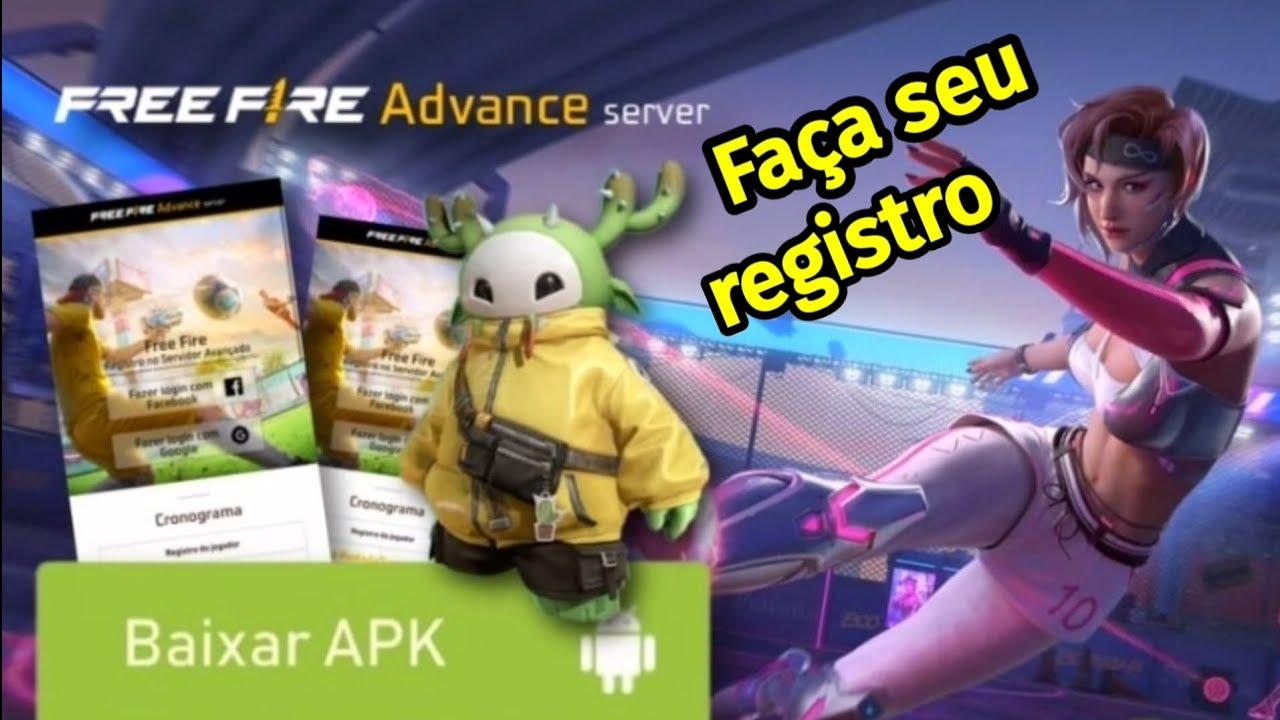
Registration must be completed on the official Free Fire Advance Server portal. The usual process is simple: log in, fill out the form, wait for selection and check whether an activation code appears for your account.
- Open the official Free Fire Advance Server website.
- Log in with the account method available for the current cycle.
- Fill out the registration form with accurate information.
- Submit the form and wait for Garena's selection.
- If selected, download the official APK from the same portal.
Not every registered player receives access. Garena limits participation to keep the testing environment stable and collect useful feedback.
Free Fire Advance APK download
The Free Fire Advance APK should only be downloaded from the official Advance Server portal. It is usually not listed on Google Play because it is a temporary, limited test client separate from the global version.
Download official Advance Server APK
Free Fire Advance Server activation code
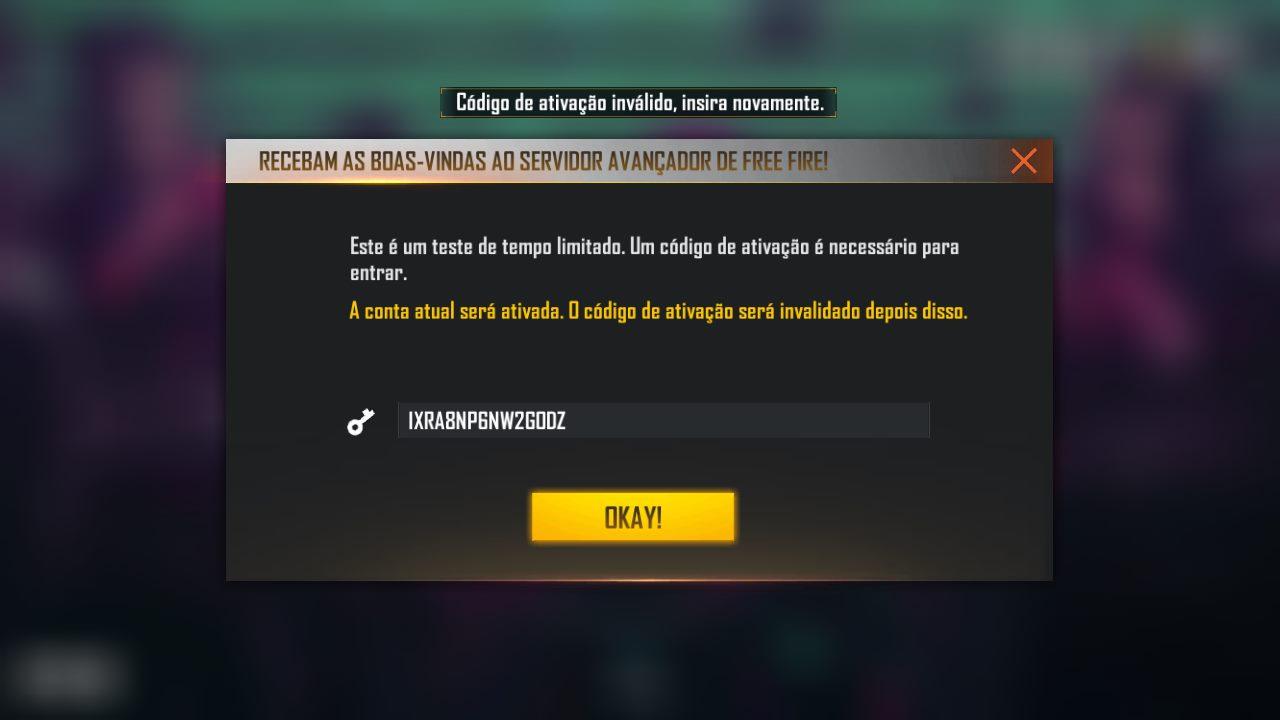
The Advance Server activation code is a unique key granted by Garena to selected players. Without it, the APK may install, but the test server will not allow access.
There is no reliable public list of working codes. Sites that promise “codes for everyone” are usually recycling old content to generate clicks, ads or unsafe downloads.
Advance Server cycles usually open near major Free Fire updates. Registration often appears before the global update, and activation codes are released only to accounts selected by Garena.
When does Free Fire Advance Server open?
The Advance Server normally appears before a major OB update. Garena opens registration first, then releases the APK download, and selected players use their activation code to access the test environment.
The safest way to track it is to monitor this page, follow official channels and check ff-advance.ff.garena.com. If the download button is missing or registration is closed, the cycle may not be active yet or may have ended.
Why does my Advance Server activation code not work?
Activation code errors are common during busy periods. Before downloading another APK, check the most likely causes:
- The code was typed incorrectly.
- The code belongs to another account or another testing cycle.
- The server reached the player limit.
- The current test period has ended.
- The installed APK is not the official file for the current cycle.
Advance Server vs proxy server: are they the same?
No. The Advance Server is official and operated by Garena. A proxy server usually refers to a third-party environment that intercepts, simulates or redirects game connections. The confusion grew because some videos mix terms such as “FF beta”, “advance”, “proxy server”, “private server” and “unlock” as if they were the same thing.
| Feature | Official Advance Server | Proxy server / modified APK |
|---|---|---|
| Provider | Garena | Third parties |
| Purpose | Update testing and bug reports | Simulate access, alter the client or promise features |
| Activation code | Limited and official | Usually unofficial or not required |
| Ban risk | Low when accessed through official channels | High if it involves modified clients or external tools |
Is Advance Server the same as Free Fire Max?
No. Free Fire Max is an official version with upgraded graphics and regular access. The Advance Server is a temporary beta test environment with limited entry and a separate test account.
| Free Fire Advance Server | Free Fire Max |
|---|---|
| Beta testing environment | Official enhanced graphics version |
| Requires activation code | No activation code required |
| Opens during temporary cycles | Available continuously |
| Progress is separate from your main account | Uses your normal Free Fire account |
How to report bugs on Advance Server
The main reason the Advance Server exists is to collect bugs before a global release. If you are selected, test carefully and report issues through the official bug report area indicated by the Advance portal.
- Open the official Advance Server website.
- Log in with the account used for registration.
- Find the bug report area.
- Describe the issue with mode, character, item, time and expected behavior.
- If possible, include a short screenshot or video.
Free Fire Advance Server FAQ
How do I register for Free Fire Advance Server?
Open the official Free Fire Advance Server website, log in, fill out the registration form and wait for Garena's selection. Access depends on limited slots and an activation code.
Where can I download the Free Fire Advance APK?
Download the APK only from ff-advance.ff.garena.com/download. Avoid third-party sites because they may distribute modified files.
What is the Advance Server activation code?
It is a unique access key granted by Garena to selected players. Without a valid activation code, the Advance Server APK cannot enter the testing server.
Does Advance Server give diamonds to my main account?
The Advance Server is a separate test environment. Items and resources seen during testing do not become permanent on your main account unless Garena announces an official reward campaign.
Are Advance Server and proxy server the same?
No. Advance Server is official and operated by Garena. Proxy servers are usually third-party systems and may involve modified clients, redirected connections or ban risks.
Do I need to register again for each cycle?
Yes. Each Advance Server cycle usually requires a new registration and a new activation code because access is reset for each tested update.
Can third-party Advance Server APKs get me banned?
They can create risk, especially if the APK is modified. Garena lists modified clients, unauthorized tools and game-file changes as reasons for punishment. Use official channels only.
Latest Free Fire Advance Server news
Read recent updates about registration windows, activation codes, APK download, bug reports and features tested on the Free Fire Advance Server.
- 03/06 OB54 Advanced Server APK is now available for download
- 28/05 The Free Fire Advanced Server for June is now open
- 30/09 Free Fire Advanced Server: Sign Up and Download Advanced APK in October (2025)
- 21/07 Free Fire Advanced Server: Download APK 66.33.0 Advance FF (direct link)
- 14/07 Free Fire receives new FF Advanced Server: see how to register and download
In short, the Free Fire Advance Server is the official way to test upcoming features before a global update. To stay safe, use Garena's portal, wait for an activation code and avoid modified APKs, unofficial proxy servers and pages promising unlimited access.
Updated in August 2026 by the Free Fire Mania editorial team. Sources reviewed: official Free Fire Advance Server portal, Garena Game Security FAQ and Garena Account Ban support page.

 Do you want to receive notifications about Free Fire?