60 FPS in Free Fire: experimental feature released, and almost no one activated it
Free Fire has released an experimental 60 FPS option in the graphics settings. See how to activate it and what changes in your match now.
By
Ronny Rolim
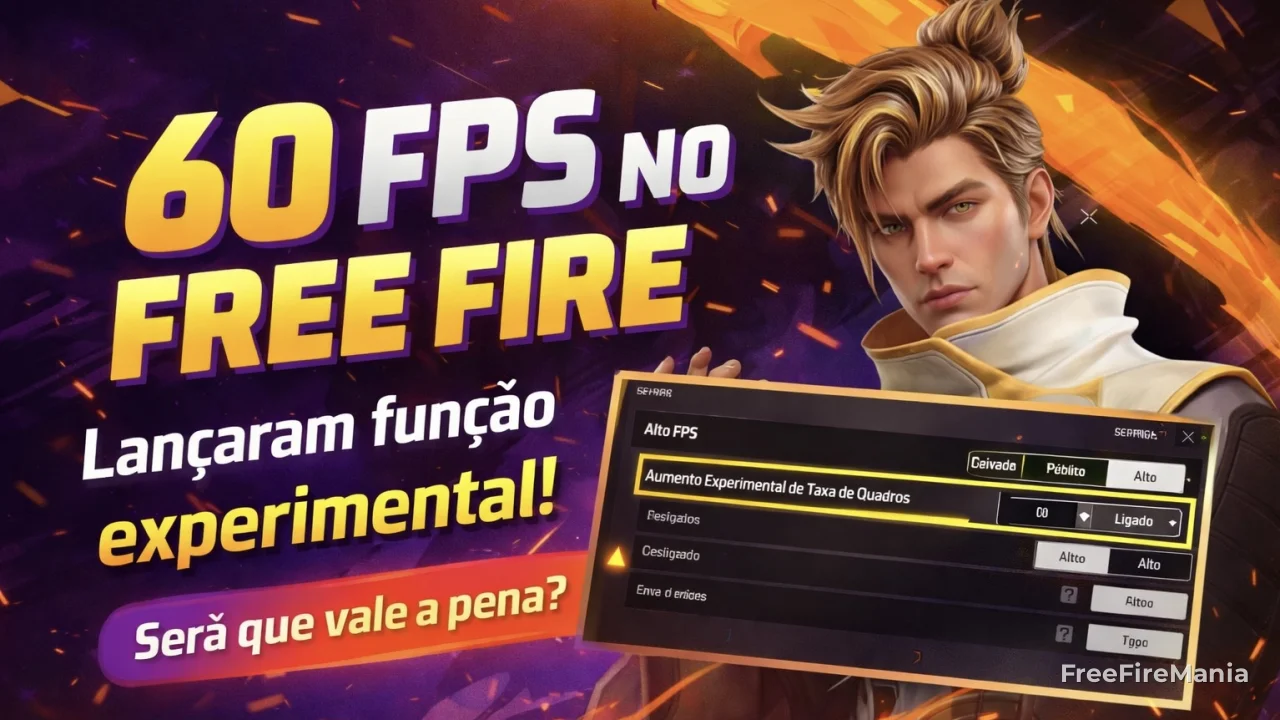
The new 60 FPS mode in Free Fire arrived quietly and could completely change your gameplay.
There is a new option hidden in the Free Fire settings that can make your game much smoother — and most players still haven't found it. Garena released the Experimental Frame Rate Boost, which allows the game to run at 60 FPS on compatible devices, but the function is hidden in the Graphics menu and only appears when High FPS is set to High.
If you are still playing in Normal mode without knowing this option exists, you may be at a disadvantage in close-range fights where every frame counts.
What changed in the graphics settings of Free Fire
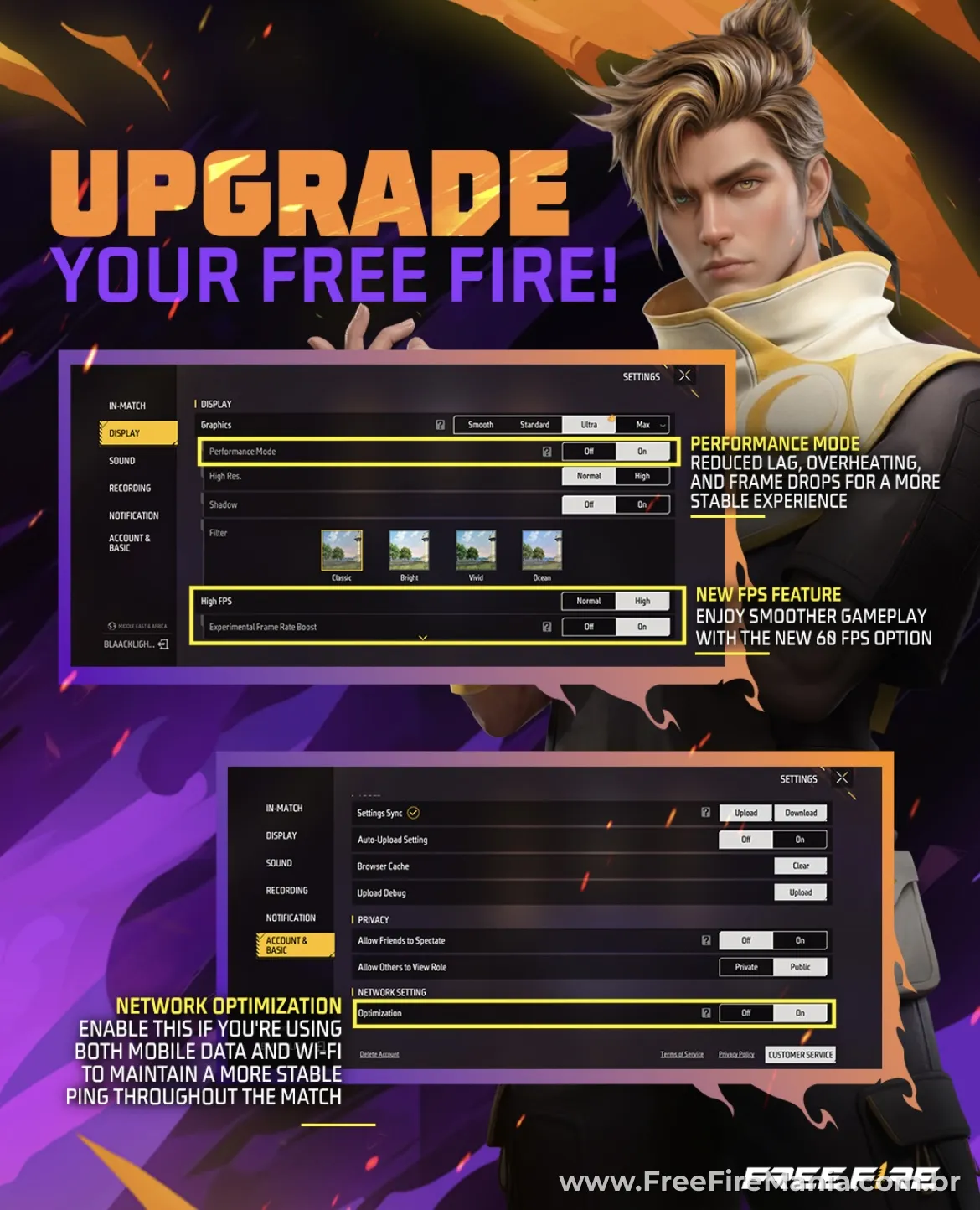
The latest update of Free Fire added three visible novelties in the Graphics tab of the settings:
- High FPS — now with two modes: Normal and High
- Experimental Frame Rate Boost — on/off option that appears below High FPS when it is in High mode
- Performance Mode — reduces lag, overheating, and FPS drops for a more stable experience
In practice, players with higher FPS have a direct advantage in quick exchanges, movement, and aiming accuracy — especially in 1v1 matches.
Moreover, Garena also added the Network Optimization option in Account and Basic Settings — specifically for those who use mobile data and Wi-Fi at the same time, maintaining more stable ping during matches.
Is the experimental FPS in Free Fire worth it?
Yes — but it depends on your phone. On more powerful devices, the difference is immediate: smoother movements, less delay, and better combat response.
On the other hand, on weaker phones, the feature can cause overheating and instability. In that case, the best option is to use Performance Mode.
How to activate experimental FPS in Free Fire
The process is simple, but not intuitive. Follow the correct order:
- Open the Settings of Free Fire
- Access the Graphics tab
- In High FPS, select High
- The Experimental Frame Rate Boost option will appear just below
- Activate it to On
If the option does not appear even with High FPS set to High, your device likely does not support the feature yet.
When to use Performance Mode
If your phone heats up a lot or freezes during long matches, Performance Mode is more recommended than experimental FPS. The two modes are not for the same type of device: experimental FPS demands more from the hardware, while Performance Mode reduces the load to ensure stability.
| Option | For whom it is for | Main effect |
|---|---|---|
| High FPS (High) + Experimental | High-end phones | Smoother game, up to 60 FPS |
| Performance Mode | Mid-range phones | Less lag and overheating |
| Network Optimization | Those who switch between data and Wi-Fi | More stable ping in matches |
What to do now
The Experimental Frame Rate Boost in Free Fire, released by Garena in April 2026, allows players with compatible devices to run the game at up to 60 FPS by activating the hidden option in Graphics > High FPS (High) > Experimental Frame Rate Boost (On).
It's worth testing right now. If the game becomes unstable or your phone heats up too much, deactivate it and use Performance Mode instead. Garena has marked the feature as experimental, meaning it may still change or be adjusted in upcoming updates.
Frequently asked questions about the experimental FPS in Free Fire
Can every phone activate experimental FPS in Free Fire?
No. The option only appears on compatible devices. If it does not appear even with High FPS set to High, your device still does not support the feature.
Can I use Performance Mode and experimental FPS at the same time?
No, they are not complementary. Performance Mode reduces the hardware load, while experimental FPS increases it. Use one or the other based on your phone’s performance.
Does Network Optimization solve the high ping issue in Free Fire?
It helps specifically those who use mobile data and Wi-Fi at the same time. For high ping in general, the problem is usually with the connection itself, not the game settings.
With the right settings, the difference in matches is real. While you are at it, it's also worth checking out the active FF codes now and the best sensitivity settings for Free Fire to complete the full performance package.



 Do you want to receive notifications about Free Fire?