Free Fire: new function allows you to revive allies in matches, learn how to do
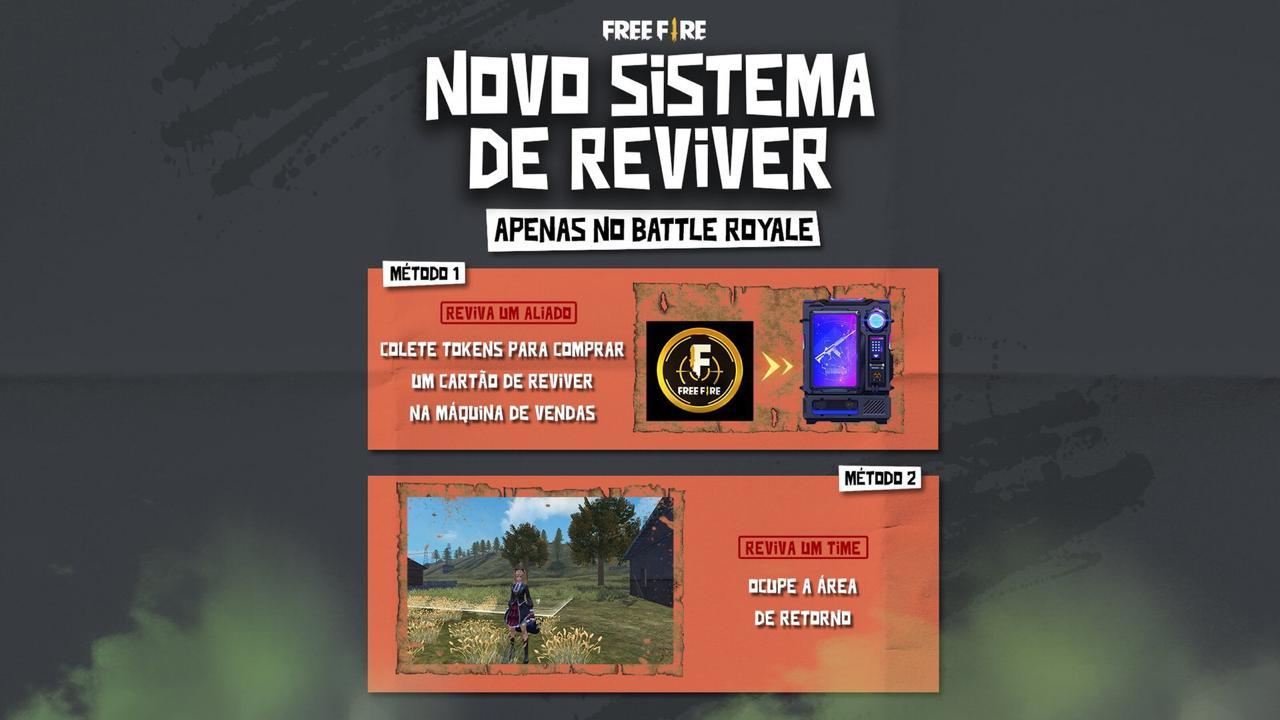
Through the Reviver Card and the Return Area, players will be able to revive one or more allies during the match.
By
Ronny Rolim
The Free Fire February 2021 update brought the OB26 version to the Battle Royale APK and many new features were added to the players, including the new function of reviving an ally or even the entire team that was shot down by opponents.
In this article we will elucidate all the details about this new function of revive, see how to do it.
Revive allies in Free Fire: learn how to do it
First of all, it is important to make it clear that the option to revive friends / allies is only available in the casual mode of the Battle Royale version, that is, the classic version of the game and is not available for ranked matches, yet.
There are two ways to revive Free Fire: reviving just one ally or reviving the entire team.
How to revive an ally in Free Fire
You can be revived and return to the battlefield if your teammates buy the Reviver Card from the Vending Machine . Any team with at least 1 player in battle will have the opportunity to revive their Squad before the last safe zone appears.
To revive an ally in Free Fire, it is necessary to collect tokens and use it in the Vending Machine , available throughout the map.
Step 1 : Search and collect tokens from tokens scattered around the game map.
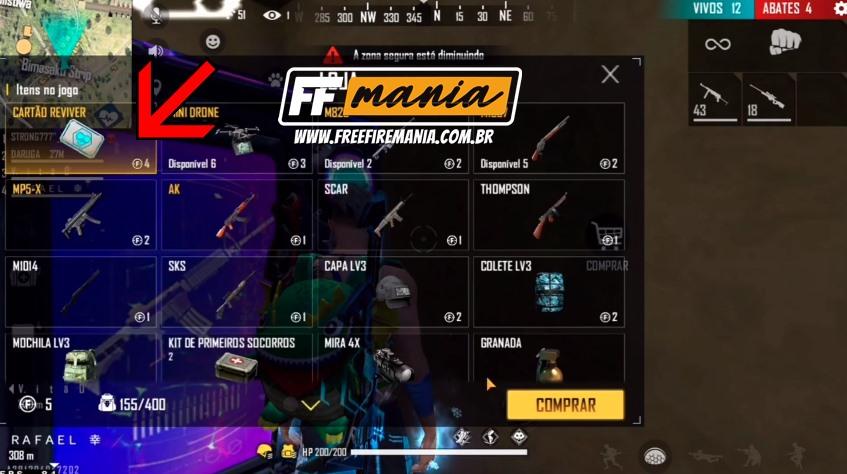
Step 2 : Go to a vending machine and buy the revive card for 4 tokens.
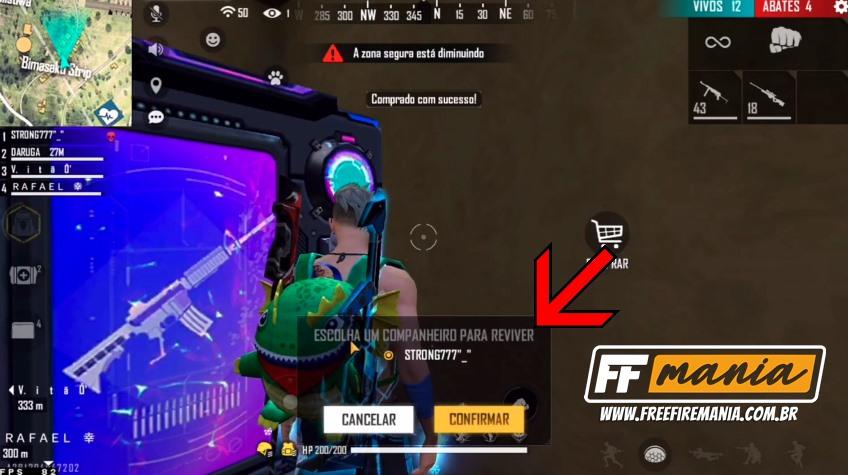
Step 3 : Choose the friend you want to revive.
How to revive an entire team on Free Fire with the Return Area
The Return Area will be available in classic casual mode. Players will be able to revive their entire team by capturing and activating the Return Area. However, keep your eyes open: the Return Area will only appear in exposed areas. In addition, nearby enemies will be warned that someone is trying to capture the Return Area. So don't let your guard down!
Capturing and activating the Return Area will revive the entire Squad.
To revive an entire team (SQUAD) on Free Fire with the return area, follow the steps:
Step 1 : Find a return area on the map, it is represented with a blue heart icon on the mini-map.
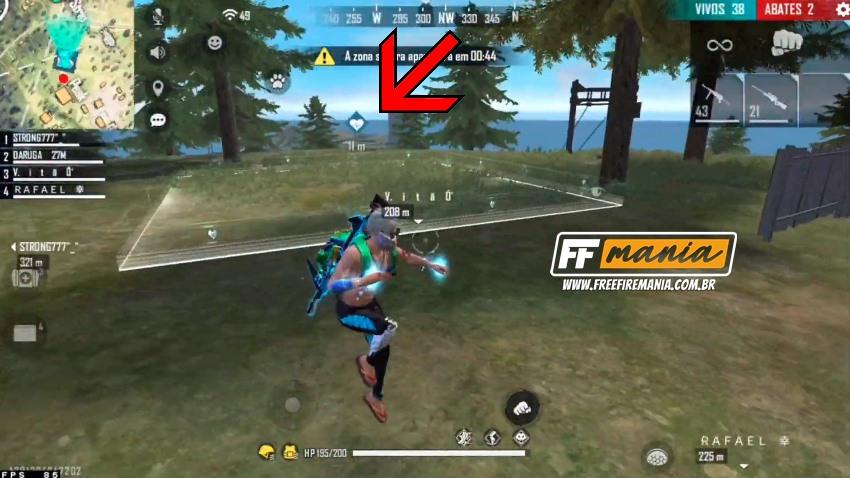
Step 2: Enter inside the return area and stay there until the 5-second countdown, as shown by the icon on the screen.
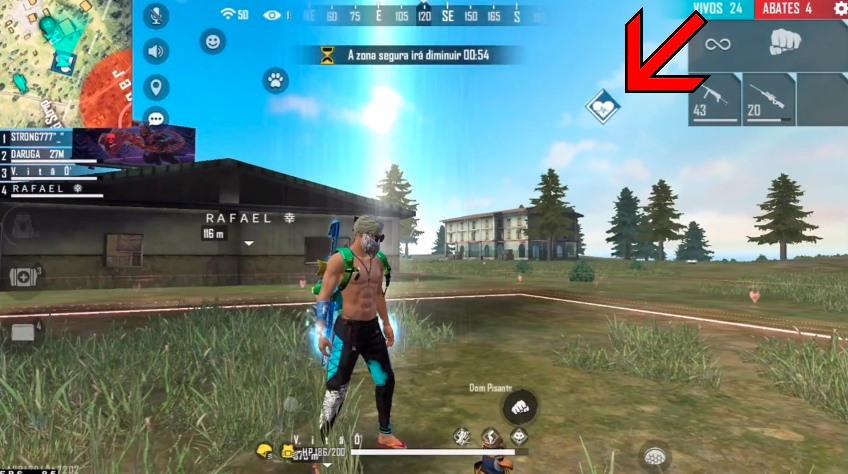
Finally, the revived allies, both with the revive card and with the return area, will fall off the plane again, and may land in a new location on the map. Comment there, did you like the new feature to revive Free Fire?

 Do you want to receive notifications about Free Fire?