Free Fire Wishlist: What It Is, How to Use It, and How to Check It by ID
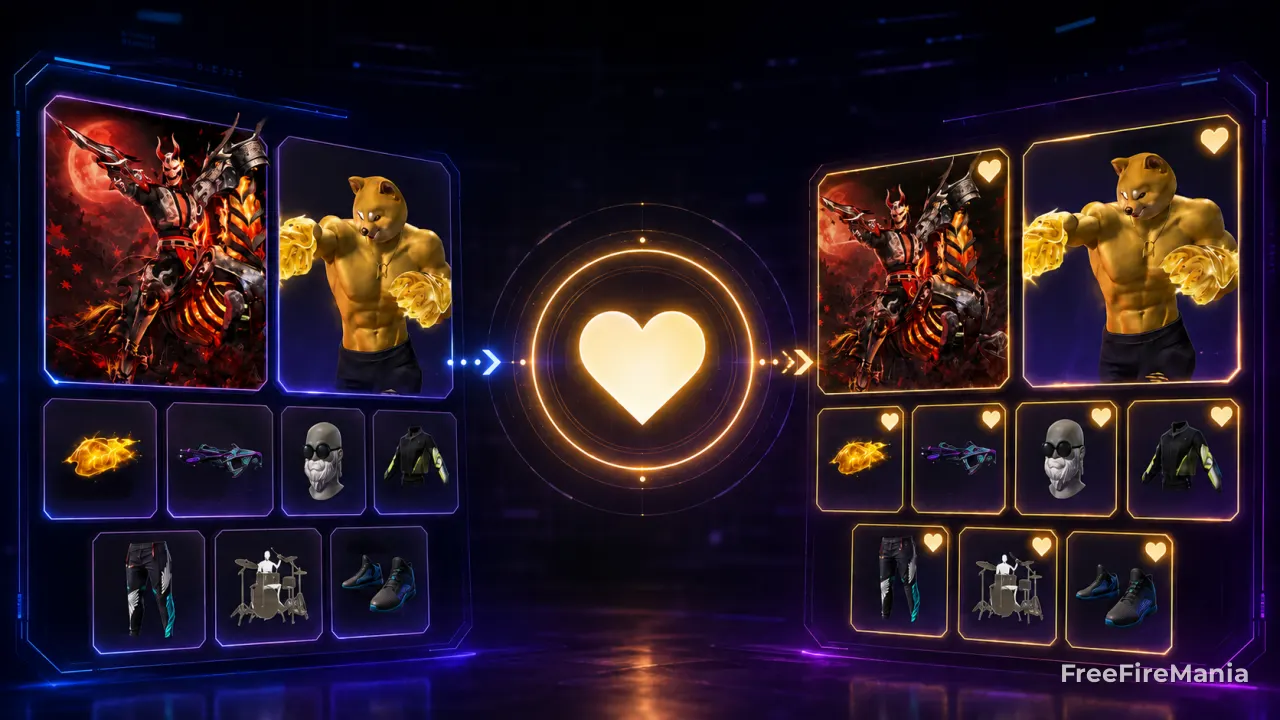
The Free Fire wishlist is the profile area where every player marks, with a star, the items they want to get in-game. Here you'll learn how it really works, see the most wanted items ranking updated automatically, and find out how to check any player's wishlist by ID.
By
Ronny Rolim
See any player's wishlist by ID
Want to know what a specific player is wishing for? Use our free tool: enter the Free Fire Player ID and see every item marked, with name, rarity, and the date each one was wished.
Check Wishlist by IDWhat is the wishlist in Free Fire?
The wishlist is a native Free Fire feature that lets you mark items in the game - skins, characters, pets, emotes, bundles, weapons, backpacks, and other cosmetics - as something you want to get. It works like a personal "favorites" list: it stays saved on your profile and costs nothing to use.
It sits inside Free Fire's own menu, usually in the store or on the star icon next to items. When you mark an item, it's automatically added to your list, organized by category (clothes, weapon skins, emotes, parachutes, gloo walls, and more).
What is the wishlist used for in Free Fire?
The wishlist has two main functions in-game:
- Keeping track of what you want: it gathers in one place the items that caught your eye, so you don't have to remember every name.
- Alerting you when an item comes back: many Free Fire cosmetics are limited and cycle out of the game. When a marked item becomes available again (in a spin, incubator, or special store), the game notifies whoever wished it.
It's also public on your profile, so friends and other players who visit your account in-game can see what you're wishing for - which helps, for example, when choosing a gift for someone.
How to mark an item on the wishlist
- Open Free Fire and go to the store or the page of the item you want.
- Tap the heart icon (♡) shown on the item's card.
- The item is automatically added to your wishlist.
- To review everything you've marked, open the wishlist menu in-game.
- To remove it, tap the marked item's star again.
How to check another player's wishlist by ID
Since the wishlist is public information inside the game, Free Fire Mania built a tool that reproduces this lookup outside the game, using only the account ID:
- Get the Free Fire ID of the player you want to check.
- Open the wishlist checker by ID tool.
- Paste the ID and tap Check.
- See every wished item, with name, rarity, and when each one was marked.
If you don't know which ID to test, check out our Free Fire profile by ID lookup as well.
Related content about the Free Fire Wishlist
Frequently Asked Questions about the Wishlist
What is the Free Fire wishlist?
It's the Free Fire feature where you mark, with a star, the items you want to get. It stays saved on your profile and notifies you when a marked item becomes available again in the store or during events.
Where is the wishlist in Free Fire?
It shows up as a star icon on store items and cosmetic pages. You can also open the full list from the game's main menu, organized by category.
Can I see another player's wishlist?
Yes. The wishlist is public inside the game. Use our wishlist checker by ID to see the items marked by any account without opening Free Fire.
Is the wishlist the same thing as the Wish Store?
No. The wishlist is personal and free - you just mark items on it. The Wish Store is a different event, with special bundles sold for a limited time in-game.
How many items can you mark on the wishlist?
Free Fire doesn't publish an official fixed limit. In practice, players manage to mark dozens of items at once, organized by category inside the menu.
How do I know which items are the most wanted in Free Fire?
Check out the Top 100 most wanted items ranking, updated automatically by Free Fire Mania based on the real number of wishes registered for each item.


 Do you want to receive notifications about Free Fire?