Influencers sell FF sensitivity for up to R$100; see how to get it for free
Content creators charge up to R$100 for sensitivity in Free Fire. There is a free generator that does the same thing — and most players don't know.
By
Ronny Rolim
Those who follow Free Fire influencers on Instagram or TikTok have probably seen it: the link in their bio almost always leads to a sales page for sensitivity. The product is called "sensi FF" or "sensi pack", and prices vary significantly — from R$9.90 to R$99.90 for a configuration that promises to improve aim and help with headshots.
The problem? Most players purchase without knowing that the ideal sensitivity in Free Fire depends on the model of the phone and the screen DPI — and not on a generic configuration suitable for everyone. A sensitivity bought from an influencer using an iPhone 15 Pro may completely fail on the buyer's Redmi Note 12.
How the sensitivity market works in Free Fire
The business model is simple: the influencer creates a bio link (usually via Beacons, Linktree, or their own site) and directs followers to a page with download buttons or access to "sensi packs". Each pack includes a series of values to be entered in the game settings — General Sensitivity, 2X Scope, 4X Scope, Red Dot, and DPI.
Some sell the pack individually. Others charge a subscription fee for access to "weekly updated sensi". There are documented cases in the community where fees reach R$99.90 per month — just to receive a configuration spreadsheet.
| Product | Average Price | What it actually is |
|---|---|---|
| Android Sensi Pack | R$9.90 – R$29.90 | Fixed configurations without considering your phone |
| iPhone Sensi Pack | R$19.90 – R$49.90 | Values for iOS, not adjusted for your model |
| Emulator Sensi | R$14.90 – R$39.90 | Generic settings for BlueStacks/LDPlayer |
| Premium / Monthly Pack | R$49.90 – R$99.90 | Access to "updated sensi" — still without real customization |
Why purchased sensi often does not work
The sensitivity in Free Fire is not universal. The game calculates camera movement based on the physical DPI of the screen and the device's resolution. A phone with a 60Hz screen and low DPI will react to any sensitivity differently than a device with 120Hz and high DPI — even using the exact same numbers.
Furthermore, since the OB53 update of Free Fire, the sensitivity scale has been expanded from 100 to 200 points. Packs created before this update — or that do not account for the new scale — provide values that were flawed from the start.
"The ideal sensitivity in Free Fire in 2026 is individual: it depends on the model of the phone, the screen DPI, and the new scale of 0 to 200 points implemented in the OB53 update — no generic configuration sold by influencers can consider these three factors at the same time."
What is the "sensi xitada" that every influencer sells

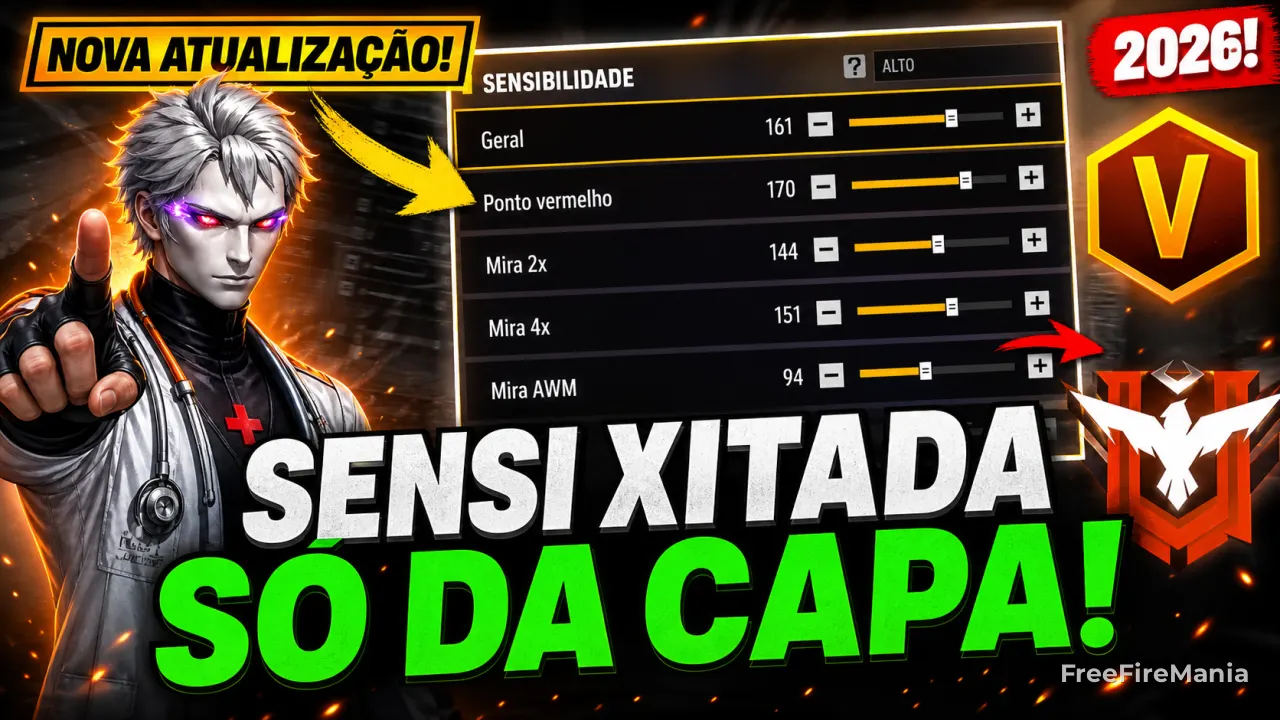
One of the best-selling products is the so-called sensi xitada — and the name sells itself. The logic behind it is real: it refers to a high and personalized sensitivity configuration, designed to increase the response speed of aim and facilitate headshot (capa) shots with more consistency.
In practice, the sensi xitada raises values like General Sensitivity and 2X Scope above what most players use, optimizing reaction time for quick swaps. It is especially sought after by two profiles: those using phones that frequently lag (slower devices need faster sensi to compensate for the delay) and those who play in a rush style, with accelerated movement and little time to aim.
| Player Profile | Why sensi xitada helps | Risk if poorly calibrated |
|---|---|---|
| Phone with lag | High sensitivity compensates for the screen's response delay | Aim overshoots the target in long exchanges |
| Rush/flanker player | Faster camera movement in short duels | Complicates precision shots at medium distances |
| Those wanting quick headshots | Facilitates aim adjustment for headshots in duels | Without adaptation, increases errors in stationary combat |
The problem is not the concept — it is that the sensi xitada only works when calibrated for your specific device. A xitada configuration made for iPhone 15 Pro will be uncontrollable on a Moto G Play. And that’s exactly where influencers go wrong: they sell the same sensi xitada to thousands of followers with completely different phones.
The free generator that does what paid sensi promises
The Free Fire Mania maintains a Free FF Sensi Generator that automatically calculates the ideal configuration based on three variables: phone model, age of the device, and desired sensitivity profile (reactive, balanced, or precise). The tool already considers the new OB53 scale from 0 to 200 points.
Unlike packs sold by influencers, the generator delivers individualized values — meaning a Poco X5 5G receives a different configuration than a Samsung Galaxy A55, even if both are Android.
🎯 Generate your personalized sensi now — for free
Compatible with Android, iPhone, and Emulator. Calibrated for the OB53 scale (0–200).
⚡ Access the Free Sensi GeneratorAnd what about the "FF Panel" that influencers sell along with it?
In addition to the sensi, many influencers also sell the so-called FF Panel — presented as an "advanced configuration panel" that would unlock advantages in the game. In practice, it refers to hack software (cheat), not authorized by Garena, which directly violates the terms of service of Free Fire.
Using any type of FF panel puts the account at immediate risk of permanent banning. Garena has identified and banned thousands of accounts that used such software in recent months — regardless of who sold or recommended it.
What to do now
- Do not buy sensi from influencers without first testing the free generator — the result is usually equivalent or superior.
- Never install FF Panel — regardless of who recommended it, the risk of ban is real and documented.
- Adjust your sensi by DPI — if you want to understand how DPI affects your aim, read our guide on DPI for Free Fire.
- Combine sensi with the right settings — also use tips on Free Fire sensitivity by phone for better calibration.
- Focus on what truly achieves headshots — see the guide on how to get headshots in Free Fire without relying on hacks or paid sensi.
Mastering sensitivity is the first step, but getting headshots involves much more — use the free sensi generator as a starting point and also check out the best Free Fire tips for evolving without spending anything.
Editorial Note: Content produced by Free Fire Mania, an official Garena partner portal (FFCP) since 2018. The information regarding prices and products sold by influencers was gathered from public profiles on Instagram, TikTok, and Beacons.ai in May 2026.

 Do you want to receive notifications about Free Fire?