Free Fire Blank Name Generator 2026: 100% Empty Nickname
Generate a blank Free Fire name (also called an invisible name) in one click: the tool below creates a unique combination of Unicode characters that makes your name completely empty in-game — updated for 2026 and tested by the Free Fire Mania team.
By
Ronny Rolim
Generate a blank name now
Tap to generate a unique code. Paste it into the Free Fire nickname field and confirm the name looks empty before spending your diamonds.
Tip: if you see "name already in use", generate a new code — every combination is unique.
Blank name or invisible space?
These are two different tools:
- Blank name: the whole name disappears. Nobody sees anything where the nickname should be.
- Invisible space: you already have a name and want to add a blank gap between letters or at the start/end.
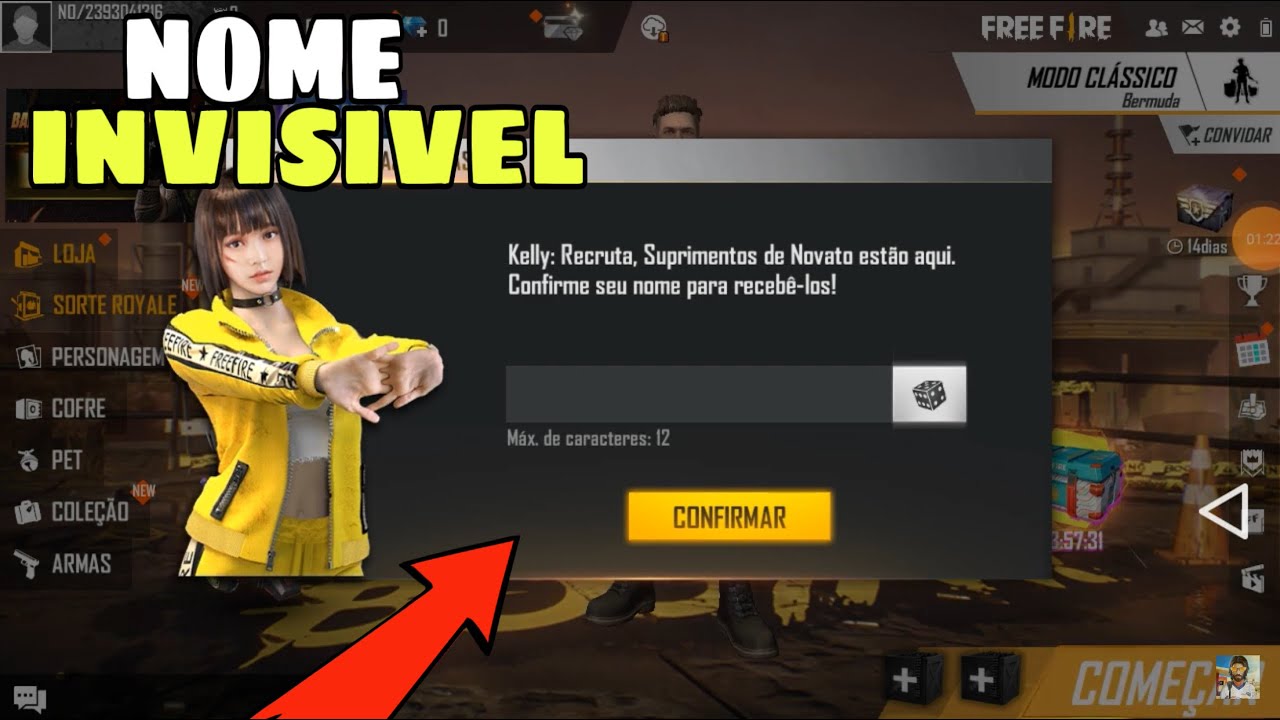
What is a blank name in Free Fire?
A Free Fire blank name (also known as an invisible name) is a player name made of Unicode characters that the game reads as valid text, but that render no visible symbol on screen. To other players in the lobby, the friends list and the ranking, your name shows up completely empty.
This is different from adding an invisible space to your nickname. Invisible space is a single character used to separate letters or open a gap inside a normal name. A blank name replaces the entire name with a sequence of characters that has no visual output at all.
How to get a blank name in Free Fire: step by step
Follow these steps after generating the code above:
- 1. Click GENERATE BLANK NAME and copy the generated code.
-
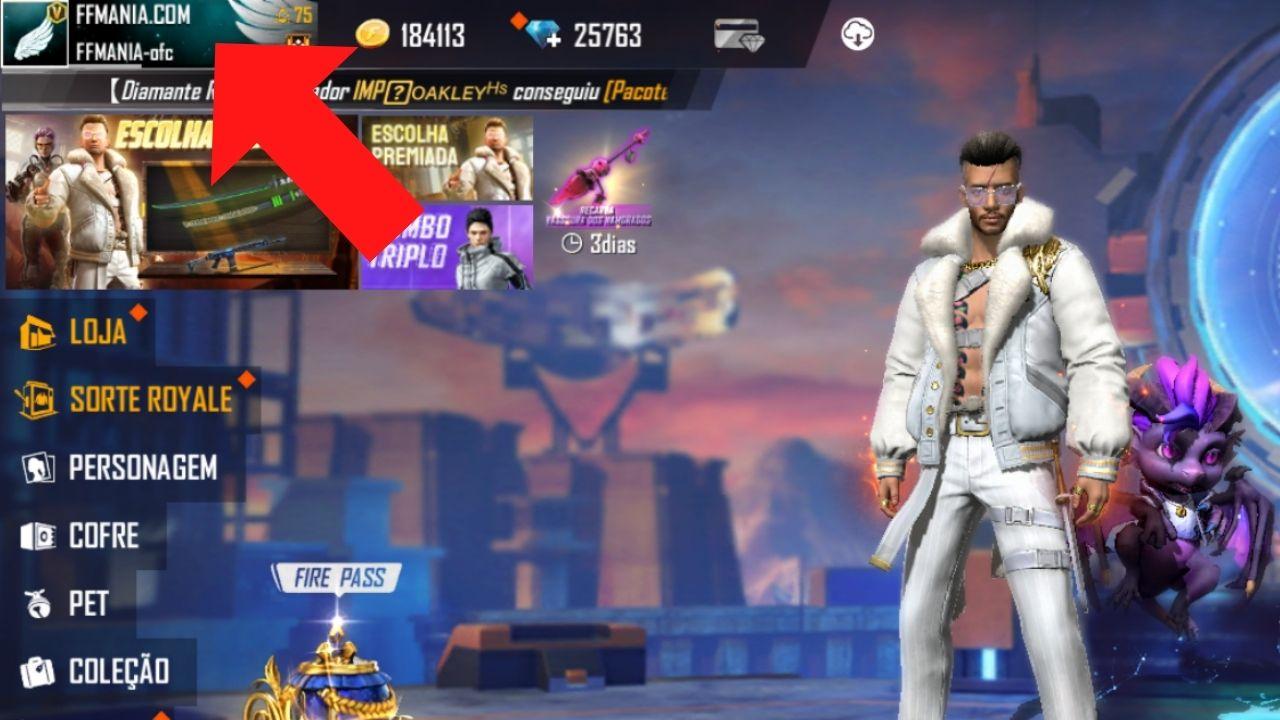
2. Open Free Fire and tap your nickname in the top-left corner of the home screen.
![Step 1: tap your nickname in the top-left corner of Free Fire]()
Photo: Free Fire Mania -
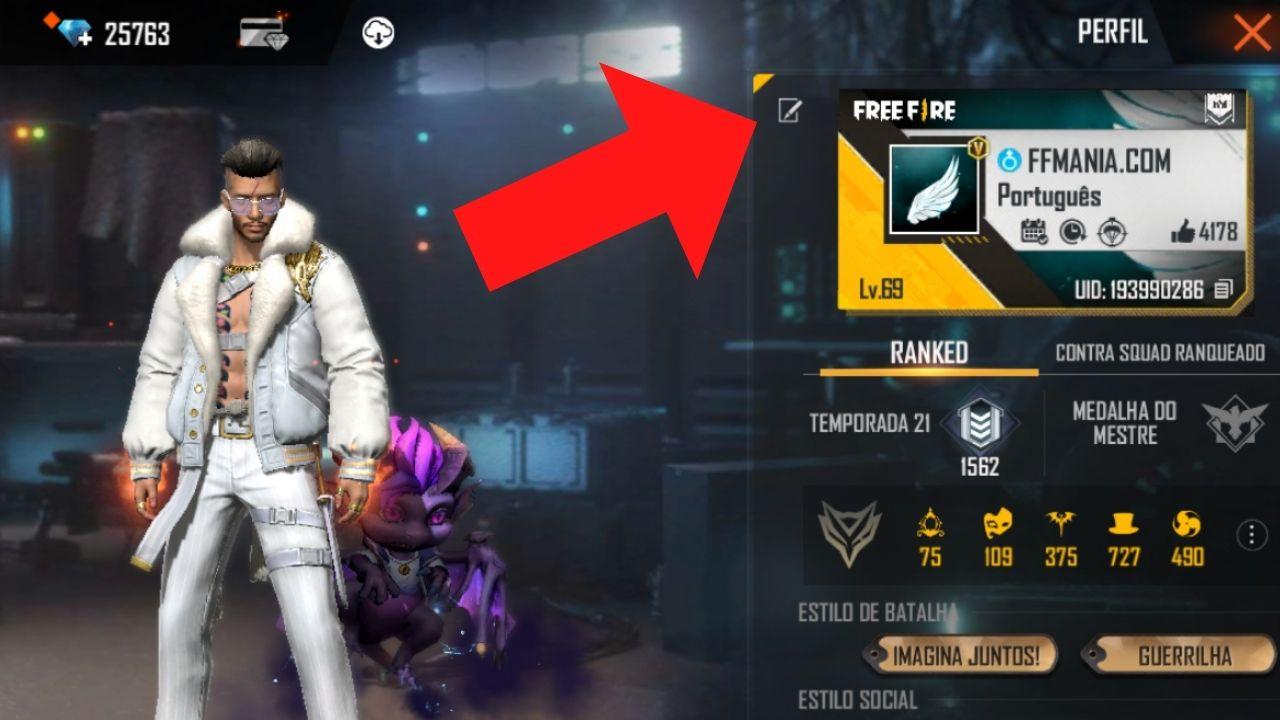
3. Tap the edit icon (pencil) next to your current name.
![Step 2: nickname edit icon in Free Fire]()
Photo: Free Fire Mania -
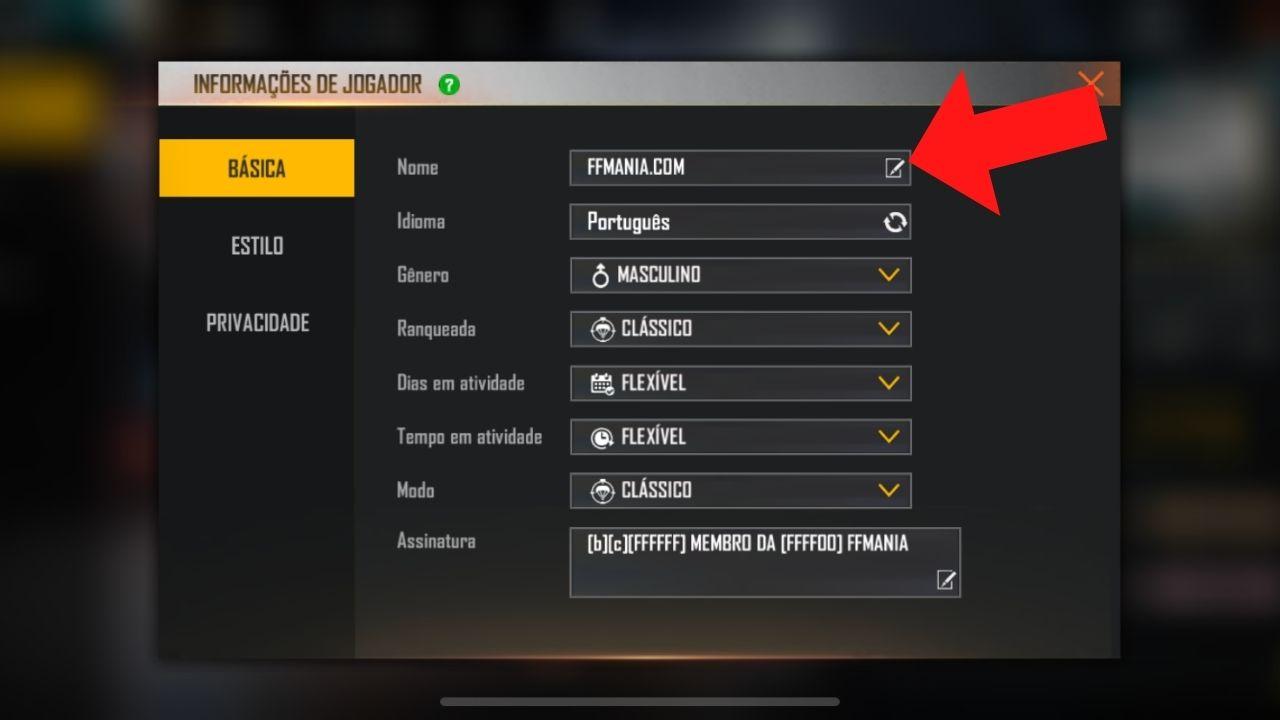
4. Delete the current name, paste the copied code and check that the field looks empty.
![Step 3: paste the blank name and confirm the change in Free Fire]()
Photo: Free Fire Mania - 5. If the field looks empty, confirm the change with 800 diamonds or a Nickname Card.
Does the blank name trick still work in 2026?
Yes. Blank names still work in Free Fire in 2026. Garena has not blocked the Unicode characters used in this trick. That said, the game can reject sequences that are already taken by another player — which is why the generator creates a new combination on every click.
Keep in mind that Free Fire blocks the regular keyboard space bar in nicknames. Every code generated here uses Unicode characters accepted by the game.
What's the difference between a blank name and an invisible space?
| Feature | Blank Name | Invisible Space |
|---|---|---|
| What it does | The whole name disappears | Adds a gap inside the name |
| How to use it | Replaces the name with the generated code | Paste between letters of a normal name |
| Visual effect | Nickname field looks empty | Blank gap between characters |
| Main character | Sequence of multiple Unicode characters | U+3164 (Hangul Filler) |
If you only want to create a gap or separation inside a name you already have, use our invisible space copy and paste tool — with three sizes (large, medium and small) and a built-in name editor.
Blank name didn't work: what to do?
- "Name already in use" error: generate a new code. Every click creates a different combination.
- The field isn't blank: make sure you deleted the previous name before pasting.
- The game rejected the name: try generating again — some sequences may get blocked in future updates.
- The code didn't copy: tap the result field, select everything manually and copy.
- You just want a gap in your name: use the invisible space generator instead of this one.
Free Fire blank name FAQ
How do I get a blank name in Free Fire?
Click GENERATE BLANK NAME at the top of this page, copy the generated code, open Free Fire, go to the nickname edit screen and paste the code into the name field. Confirm the field looks empty before spending your diamonds.
Does a Free Fire blank name cost diamonds?
Yes. Changing your nickname in Free Fire costs 800 diamonds or a Nickname Card. The generator itself is free — you only spend diamonds when you confirm the change inside the game.
Do other players see the blank name?
To other players, the name field shows up empty or blank. The effect is visible in the lobby, the friends list and the ranking.
What's the difference between a blank name and an invisible space?
A blank name makes the entire name disappear. An invisible space is a single character you paste inside a normal name to create a visual gap between letters.
Can a blank name get you banned in Free Fire?
There are no reports of bans for using a blank name. The trick uses valid Unicode characters accepted by the game's nickname system. Even so, use it at your own risk, since game rules can change at any time.
Why does it say "name already in use"?
Because another player already registered that exact sequence of characters. Click generate again to create a different combination and try again.


 Do you want to receive notifications about Free Fire?